 FOREXSNIPER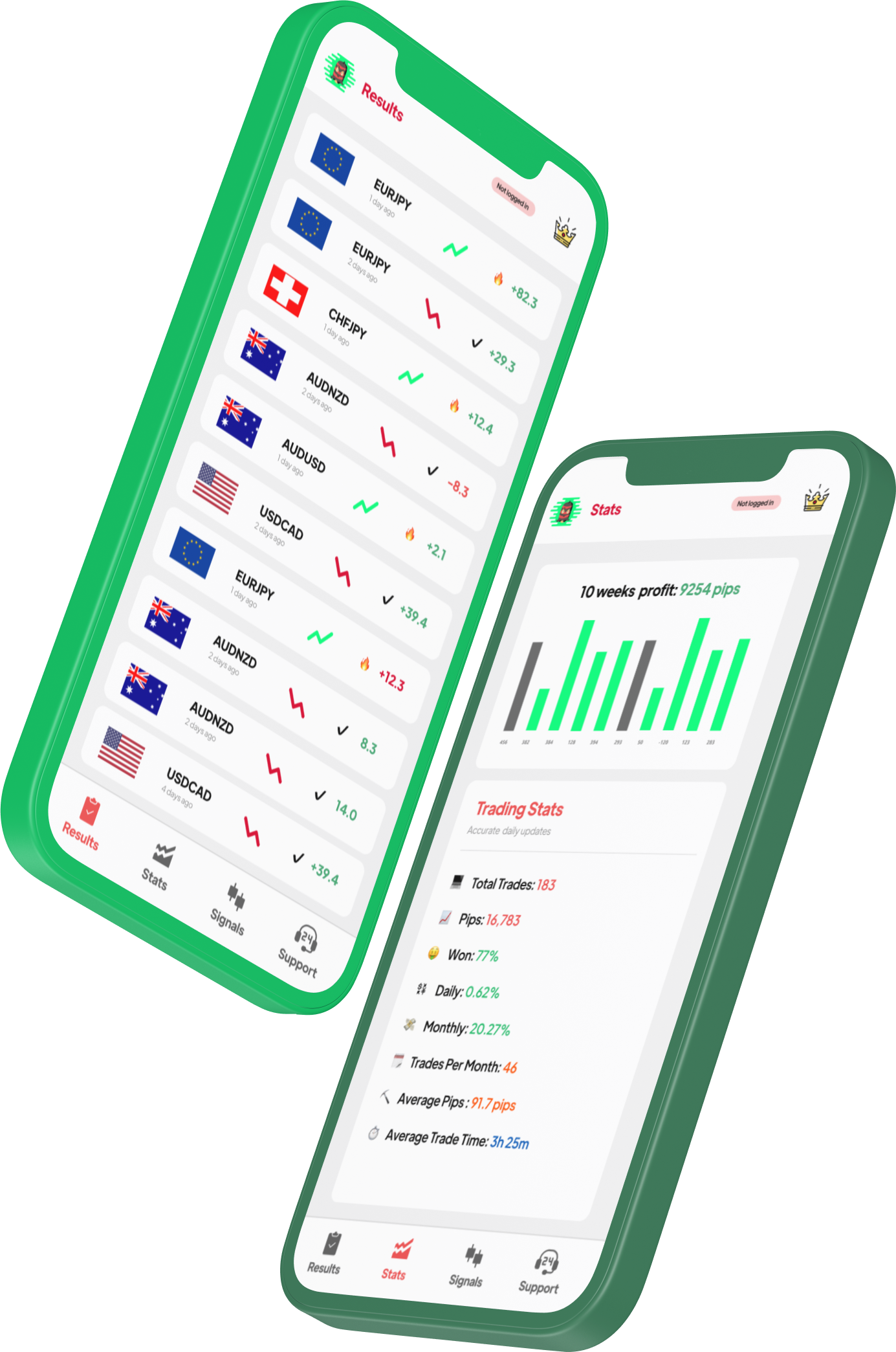
Key features for forex traders.
Award-Winning Broker
Pepperstone has won over 40 industry awards including "Best Global Forex Broker" and "Best Trading Platform." These aren't just marketing — they reflect consistent execution quality, competitive pricing, and strong regulation across multiple jurisdictions. For forex traders, reputation matters because you need to trust your broker during volatile FOMC or NFP events.
Razor Account Pricing
The Razor account is Pepperstone's raw spread offering with Forex spreads from 0.0 plus $3.50 per lot per side commission. Average spreads sit around $0.06–$0.15 depending on session. During peak liquidity (London-NY overlap), spreads consistently compress to $0.02–$0.06. Total trading cost is competitive with IC Markets and Exness.
TradingView Integration
Pepperstone is one of the few brokers offering direct TradingView integration — you can execute forex trades straight from TradingView charts. Access 100,000+ community indicators, Pine Script strategies, and multi-timeframe analysis, all connected to live execution. For forex traders who rely on chart analysis, this is the best charting-to-execution workflow available.
FCA Regulated
Pepperstone's UK entity is authorized by the Financial Conduct Authority (FCA) — the forex standard in financial regulation. This provides segregated funds at Barclays Bank, negative balance protection, and up to £85,000 compensation through the FSCS if the broker becomes insolvent. For traders who prioritize fund safety, FCA regulation is the highest tier available.
Fast Execution
Pepperstone's infrastructure delivers average execution speeds under 30ms, with servers hosted in Equinix data centers (NY4, LD4, TY3). For forex trading, fast execution means less slippage on entries and exits — particularly important during news events when forex can move $5–$10 per second. Their "Active Trader" program offers rebates for high-volume clients.
Advanced Charting
Beyond TradingView, Pepperstone supports cTrader (Level II pricing, advanced order types), MT4/MT5 (full EA support, custom indicators), and their own mobile app. cTrader is particularly strong for forex scalping with its "QuickTrade" feature and depth-of-market display. The platform variety means you can choose the best tool for your specific forex trading style.
Set up Forex on Pepperstone.
Open a Razor account
Visit pepperstone.com and click "Create Account." Select "Razor" as your account type for the tightest forex spreads. Choose your preferred platform: TradingView for the best charts, cTrader for scalping, or MT5 for automated trading. Complete ID verification — typically approved within hours.
Fund your account
Pepperstone accepts bank transfer, Visa/Mastercard, PayPal, Skrill, Neteller, and bank wire. No minimum deposit for the Razor account, but we recommend $500+ for forex trading to allow proper position sizing. Card deposits are instant. First-time bank transfers may take 1-2 business days.
Connect TradingView (recommended)
In your Pepperstone client area, go to "Trading Platforms" and select TradingView. Follow the connection wizard to link your Pepperstone account. Once connected, you can trade Forex directly from any TradingView chart — place limit orders, set stop-losses, and manage trades without leaving the chart.
Configure your forex trading setup
Open an Forex chart on your preferred timeframe (H1 for swing trading, M15 for day trading). Add your indicators — 200 EMA for trend direction, RSI for momentum, and volume for confirmation. Set default risk to 1-2% per trade. Enable price alerts at key support/resistance levels to catch ForexSniper signal entries.
ForexSniper signals + Pepperstone.
ForexSniper delivers exact entry, stop-loss, and take-profit levels for every Forex signal. With Pepperstone's TradingView integration, you can have our signals open on your phone while your TradingView chart is ready to execute — place the trade in two clicks.
Pepperstone's Razor pricing ensures your execution price closely matches our published levels. The combination of professional signals with institutional-grade execution gives you the same edge used by full-time forex traders — without needing years of screen time.
See ForexSniper signals on Pepperstone.
Watch how traders execute our alerts via TradingView and MT5.
Pepperstone forex FAQ
What is the forex spread on Pepperstone? +
Razor account: from 0.0 with $3.50/lot per side commission. Average spreads $0.06–$0.15 depending on session. Standard account: from $0.17, no commission. Consistently among the tightest in the industry.
Does Pepperstone support TradingView? +
Yes. Pepperstone offers direct TradingView integration — trade Forex straight from TradingView charts. Access 100K+ community indicators and Pine Script strategies while executing through Pepperstone's infrastructure.
Is Pepperstone FCA regulated? +
Yes. FCA (UK), ASIC (Australia), CySEC (Cyprus), DFSA (Dubai), BaFin (Germany). The FCA license provides up to £85,000 compensation via FSCS. Client funds segregated at Barclays Bank.
What leverage does Pepperstone offer for forex? +
FCA/CySEC: 1:20 for retail. ASIC: up to 1:500 for professional clients. Most experienced forex traders use 1:50–1:200 effective leverage regardless of maximum available.
Forex signals for Pepperstone.
Exact entry, SL, TP levels. Execute via TradingView or cTrader. Download free.